
Download CiberControl 2008 – Internet Cafe Management, Computer Room Management, Billing System
Overview
CiberControl 2008 is a specialized software solution designed for the efficient management of internet cafes and computer rooms. Tailored to meet the operational demands of shared computing environments, the application provides a structured and reliable system for tracking usage, managing user access, and streamlining billing processes. Its core purpose lies in simplifying administrative tasks such as time tracking, client registration, and real-time monitoring, which are essential for maintaining order and maximizing revenue in public computing spaces.
The software targets owners and administrators of internet cafes, educational institutions, libraries, and other facilities that rely on shared computer access. By offering a centralized control system, CiberControl 2008 enables users to manage both prepaid and counter-based billing models, accommodate anonymous and registered clients, and enforce usage policies effectively. The application’s database-driven architecture supports consistent data handling across multiple terminals, ensuring operational continuity even under high user loads.
Although the developer did not provide additional technical details about CiberControl’s background or development history, the software’s release date of July 1, 2009, indicates its long-standing presence in the productivity software niche. This longevity suggests a stable and tested solution, particularly suited for environments where reliability and consistent performance are critical. In the broader software ecosystem, CiberControl 2008 remains a notable tool for niche productivity needs, especially in regions where dedicated management systems for public computing spaces are in high demand.
Key Features & Functionality
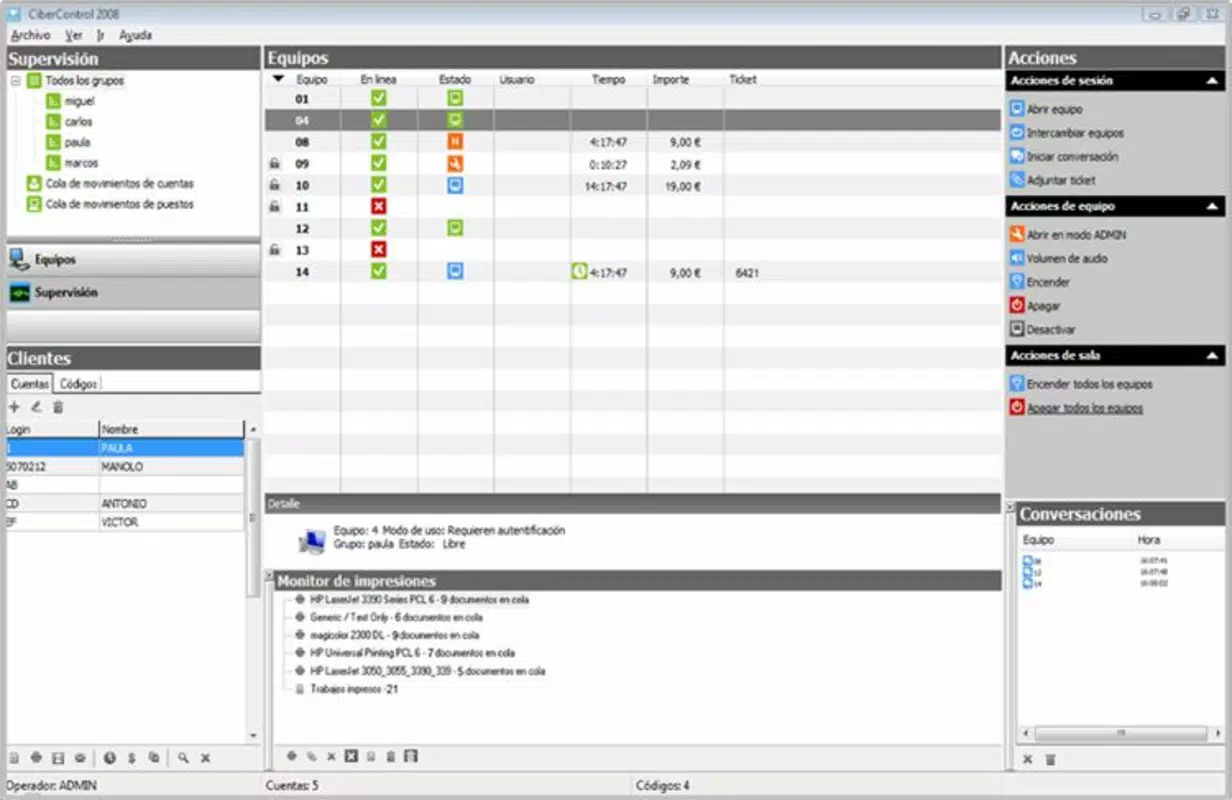
- Application Console: Offers dual billing modes—counter and prepaid—supporting both anonymous and registered user accounts. This flexibility allows cafes to serve walk-in customers while also managing loyal users with personalized access and usage tracking.
- Settings Console: Enables administrators to define user roles, create and manage accounts, and configure pricing structures. Time-based charges can be set to reflect different rates during peak and off-peak hours, optimizing revenue and encouraging balanced usage.
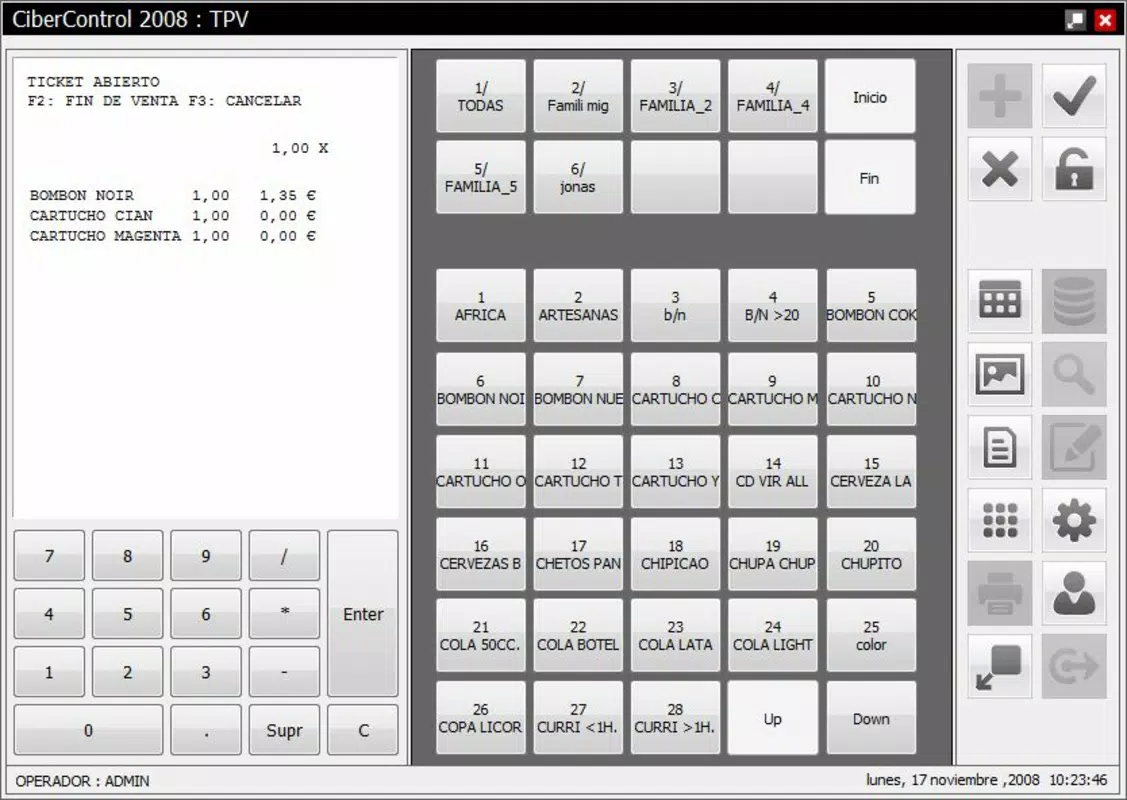
- TPV Console: Facilitates ticket issuance and supports the creation of item and category databases. This feature is useful for managing service charges, snacks, or software licenses, integrating billing with inventory and tax compliance workflows.
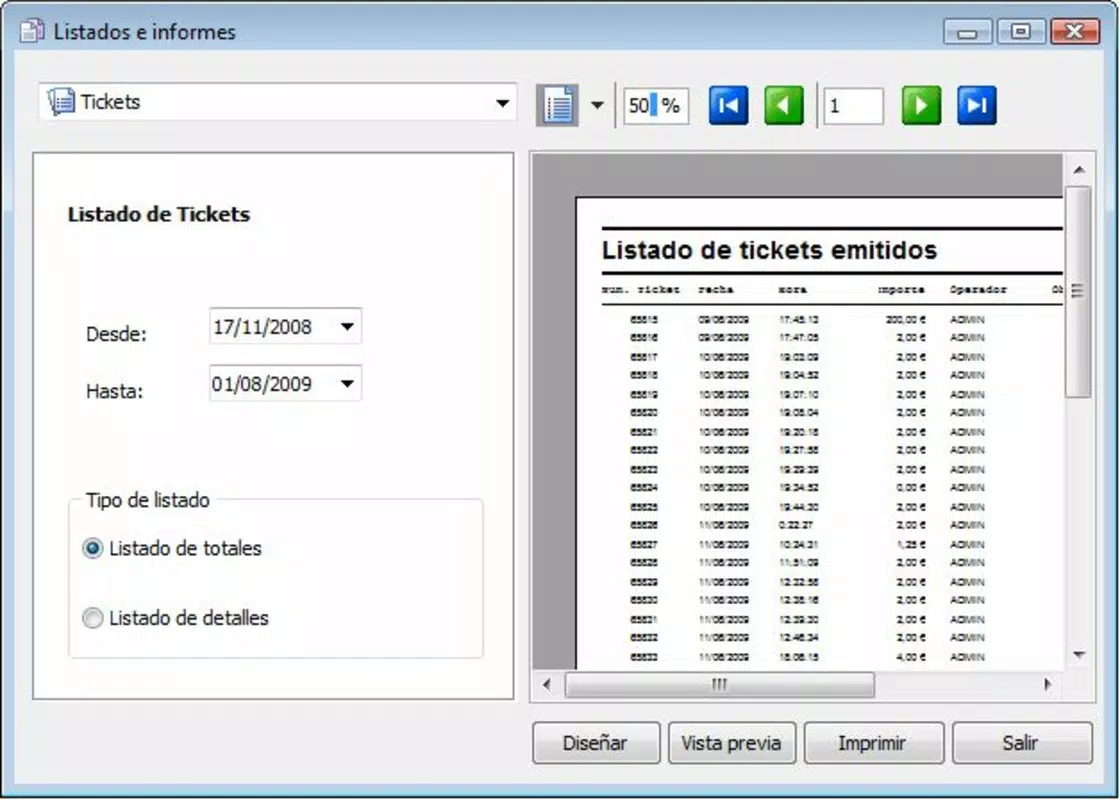
- Reports Console: Generates detailed reports on usage patterns, session durations, and financial activity. Predefined templates allow for consistent data analysis, aiding in decision-making and auditing processes.
- Remote Viewer Console: Provides real-time monitoring of individual computer screens, enabling supervisors to observe user behavior, enforce rules, and prevent misuse of resources. This function is particularly valuable in environments where accountability and security are paramount.
Each feature is designed to address specific pain points in public computing environments. For example, the remote viewer console helps prevent unauthorized software installations or inappropriate content access, while the TPV console ensures accurate tracking of ancillary services. These tools collectively contribute to a more organized, secure, and profitable operation.
Interface, UX & Performance
The interface of CiberControl 2008 is structured around a modular console system, with each functional area accessible through clearly labeled panels. The visual design prioritizes clarity and functionality, using a traditional desktop layout that is familiar to users accustomed to Windows-based applications. Navigation is linear and consistent, allowing administrators to move between consoles with minimal cognitive load.
Although the developer did not list formal performance metrics, the application’s 12.8 MB file size suggests a lightweight footprint, which likely contributes to smooth operation on older or modest hardware. This makes it suitable for deployment in environments where upgrading infrastructure is not feasible. Responsiveness appears to be optimized for typical administrative workflows, with minimal lag during data entry, report generation, and screen monitoring tasks.
Stability is a key consideration for management software, and CiberControl 2008’s long-standing presence in the market indicates a level of reliability. However, specific requirements for hardware or system compatibility were not disclosed, so users should verify system readiness before installation. Overall, the user experience reflects a mature product focused on utility rather than visual flair, aligning with its intended audience of administrators and technical operators.
Platform Compatibility & Technical Requirements
CiberControl 2008 is designed for the Windows operating system. The software version is 2008, and the file size is 12.8 MB. It was released on July 1, 2009, which places it in the early 2000s software era. This suggests that it may not be compatible with the latest versions of Windows, particularly Windows 11 or newer, due to deprecated APIs and security protocols.
The developer did not specify minimum OS requirements, nor did they list supported Windows versions such as XP, 7, or 8. As a result, users should exercise caution when installing on modern systems. Compatibility with current hardware or virtual environments remains uncertain without official documentation. For users seeking to run this software today, a virtual machine or older Windows environment may be necessary to ensure stable performance.
Pros and Cons
Pros
- Comprehensive suite of management tools tailored for internet cafes and computer rooms.
- Supports both prepaid and counter billing models with flexible user access options.
- Includes remote monitoring for enhanced oversight and security.
- Lightweight file size (12.8 MB) suggests low system resource usage.
- Offers reporting tools with customizable templates for data analysis.
Cons
- Released in 2009; may lack compatibility with modern Windows systems.
- Developer did not provide detailed technical specifications or system requirements.
- No indication of ongoing updates or technical support.
- Windows-only platform limits accessibility for users on other operating systems.
- Interface reflects older design standards, which may feel outdated to new users.
FAQ
Is CiberControl 2008 compatible with Windows 10 or Windows 11?
The developer did not specify compatibility with Windows 10 or Windows 11. Given its release date in 2009, it may require a virtual machine or older Windows environment for stable operation.
Can I use CiberControl 2008 on multiple computers in a cafe?
Yes, the software is designed for multi-terminal deployment, with centralized management features that allow administrators to oversee multiple machines from a single console.
Does CiberControl 2008 support remote access for administrators?
The Remote Viewer Console allows real-time monitoring of individual computer screens, which supports remote oversight, though full remote administration may depend on network configuration and permissions.
Is there a free version or trial available?
Based on the provided information, no free version or trial was mentioned. The software is priced at $39.95, indicating a one-time purchase model.
How often is CiberControl 2008 updated?
The developer did not disclose update frequency. The last known release was in 2009, suggesting limited or no active development.
Final Thoughts
CiberControl 2008 remains a functional and purpose-built tool for managing internet cafes and computer rooms, particularly in environments where legacy systems are still in use. Its modular design, comprehensive feature set, and focus on billing, monitoring, and reporting make it a viable option for administrators seeking a reliable solution. While its age presents compatibility challenges on modern systems, its lightweight nature and proven functionality offer value for users who prioritize stability over cutting-edge features.
For small to medium-sized operations that rely on Windows-based infrastructure and do not require frequent updates, CiberControl 2008 delivers a practical and cost-effective management system. Its ability to handle multiple billing models, enforce access control, and provide real-time monitoring makes it a solid choice for niche productivity needs.
Download CiberControl 2008 now


